How Applicant Tracking Systems (ATS) Actually Work

Written from a recruiter’s desk — for freshers, experienced professionals, and remote job seekers.
There’s a myth I hear almost every week: “A robot rejected my resume before a human ever saw it.”
It’s half true — and the half that’s wrong is costing people interviews. The software rarely “rejects” anyone outright. It does something quieter and more important: it reads your resume, files it, and decides how high you rank when a recruiter searches.
I’ve screened candidates on Greenhouse, Workday, Lever, and Taleo. Let me show you what actually happens to your resume after you hit “Apply” — no myths, just the real pipeline.

Quick Answer: How Does an ATS Work?
An Applicant Tracking System (ATS) is software that collects, parses, and organizes job applications. It extracts your details into a database, matches your resume against the job description’s keywords and requirements, and ranks or filters candidates so recruiters can review the strongest matches first. Most large employers use one to manage high application volumes.
Key Takeaways
- An ATS parses, matches, and ranks — it rarely auto-rejects on its own.
- Bad formatting breaks parsing, which quietly sinks your ranking.
- Recruiters search the ATS database by keywords, so the right words matter.
- The “75% of resumes are auto-rejected” claim is a myth with no credible source.
- A clean, keyword-matched, ATS-friendly resume is what keeps you visible.

Why Companies Use an ATS
The reason is simple: volume. A single remote-friendly role can attract 500 to 1,000 applications in a week. No recruiter reads them all.
So companies use software to collect every application in one place, structure the data, and surface the best matches. <cite index=”0-1″>Jobscan’s research found 98.4% of Fortune 500 companies use an applicant tracking system</cite>, and most mid-size Indian and global employers do too.
Here’s the part people miss: the ATS isn’t your enemy. It’s a filing system. Your job is to make sure it files you correctly.
The 3 Things an ATS Actually Does
When you apply, your resume moves through three steps.
Job Search → Read the JD → Match Keywords → Apply → ATS Parses & Ranks → Recruiter Reviews → Interview
- Parsing. The ATS reads your file and pulls your details — name, contact, work history, education, skills — into structured database fields. If your formatting confuses it, this is where good candidates vanish.
- Matching. It compares your parsed content against the job description: job titles, skills, tools, years of experience, certifications.
- Ranking or filtering. Some systems score you against the role. Others simply let recruiters search the database by keyword — “GST,” “React,” “customer success” — and you appear only if those words are on your resume.
📌 Recruiter Tip: When I search our ATS, I type skills and job titles like I’m using Google. If your resume says “handled the full indirect-tax cycle” but never says “GST,” you won’t show up when I search “GST.” Use the exact words recruiters would type.

The Biggest Myth: “The Robot Rejects You”
Let’s kill this one properly.
Most ATS platforms do not automatically reject resumes. What they do is rank them. A poorly parsed or poorly matched resume drops to page 8 of the recruiter’s results — where no one ever scrolls. You’re not rejected. You’re buried.
Harvard Business School’s Hidden Workers study found 88% of employers admit their systems filter out qualified candidates — but usually because of rigid criteria set by the employer, or resumes the software couldn’t read, not a rogue robot making hire/no-hire calls.
⚠️ Warning: The Header Trap. The single most expensive formatting mistake I see: putting your phone and email inside the document’s header. Several ATS platforms skip headers and footers when parsing — so your application lands in the database with no way to contact you. Put your contact details in the body of the document, at the top.
What Breaks Parsing (and What Doesn’t)
Parsing is where most silent failures happen. Here’s what confuses the software versus what reads cleanly.
| Breaks Parsing | Reads Cleanly |
|---|---|
| Two or three columns | Single-column layout |
| Text boxes & graphics | Plain text |
| Tables for layout | Standard paragraphs & bullets |
| Skill-rating icons/bars | Skills as plain words |
| Contact info in the header | Contact info in the body |
| Scanned/image PDF | Text-based PDF or DOCX |
| Creative headings (“My Journey”) | Standard headings (Experience, Skills) |
💡 Pro Tip: Run the copy-paste test. Open your resume, select all, and paste it into a plain-text editor like Notepad. Whatever survives — in that order — is roughly what the ATS sees. If your skills vanished or your jobs are scrambled, fix the source file before applying.
Can an ATS Read a PDF?
Yes — modern ATS platforms read text-based PDFs and DOCX files reliably. The exception is scanned or image-based PDFs, which the software sees as blank. Quick test: if you can select and copy the text in your PDF, the ATS can read it. If the portal asks for a specific format, always follow it.

What Recruiters Actually Do With the Results
The ATS hands me a ranked list. But I’m still the one who reads it — and I read fast.
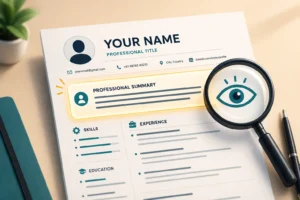
Eye-tracking research from Ladders puts the average first-pass at <cite index=”2-1″>about 7 seconds per resume</cite>. In those seconds I scan four things: your current title, your timeline, any numbers, and whether you actually match this role.
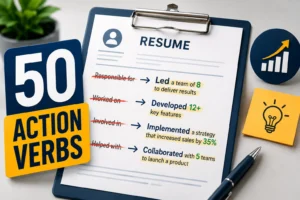
After thousands of resumes, one pattern is constant: candidates who write results (“cut onboarding time from 12 days to 5”) beat candidates who write duties (“responsible for onboarding”) — every time. The ATS gets you onto the list. Strong, specific bullets get you off it and into an interview.
Common Mistakes → Impact → Fix
| Mistake | Impact | Fix |
|---|---|---|
| Two-column / graphic template | Parser scrambles your data | Single column, standard headings |
| Contact info in the header | No way to reach you | Move it into the body |
| No job-description keywords | Low match, low rank | Mirror the JD’s exact terms |
| Scanned image PDF | ATS reads a blank page | Export a text-based PDF |
| Same resume for every role | Buried in search results | Tailor keywords per application |
| Duties instead of results | Recruiter skims past you | Add a number to every bullet |
Conclusion and Action Plan
An ATS isn’t a gatekeeper trying to keep you out. It’s a filing system that ranks how easily a recruiter can find you. Make yourself easy to parse, easy to match, and easy to search — and you rise to the top of the list where humans actually look.
Your action plan for this week:
- Run the copy-paste test to confirm your resume parses cleanly.
- Move any contact details out of the header and into the body.
- Pull the exact skills and job title from the job description into your resume.
- Rewrite duty-based bullets as results with numbers.
- Save as a text-based PDF (unless the portal says otherwise) and apply.
Ready to make sure the software reads you right? Create an ATS-friendly resume using Smart Resume Studio on WorkAnywhere.in — built on these exact parsing rules — and improve your chances of getting shortlisted for your next opportunity.
Frequently Asked Questions
How does an ATS work? An ATS parses your resume into a database, matches it against the job description’s keywords and requirements, then ranks or filters candidates. Recruiters review the top matches and search the database by skills and job titles, so the right keywords keep you visible.
Does an ATS automatically reject resumes? Rarely. Most systems rank rather than reject. Some apply knockout questions (like visa or minimum-qualification checks), but the common reality is that a poorly parsed or poorly matched resume sinks to a rank no recruiter scrolls to.
Can an ATS read a PDF? Yes. Modern ATS platforms read text-based PDFs and DOCX files reliably. Only scanned or image-based PDFs fail. If you can select and copy the text in your file, the software can read it too.
What resume format is best for an ATS? A single-column, reverse-chronological layout with standard headings, a common font, and no tables, columns, or graphics. This parses cleanly in every major system, from Workday to Greenhouse.
Is the “75% of resumes are rejected by ATS” statistic true? No. It’s a widely repeated claim with no credible original source. Most systems rank rather than reject. The real risk is poor parsing and weak keyword matching, not a robot throwing your resume away.
How do I add keywords for an ATS without stuffing? Take the exact skills, tools, and job title from the job description and weave them into your summary, skills section, and achievement bullets — attached to real results. Never hide keywords in white text; recruiters catch it instantly.
Do small companies use an ATS too? Many do. Affordable cloud tools like Zoho Recruit, Freshteam, and Ashby mean even startups and mid-size Indian firms often screen through software. Assume your resume will be parsed, whatever the company’s size.
Does an ATS affect freshers and career switchers? Yes. Freshers should use standard headings (Projects, Internships, Certifications) with keywords, and switchers should front-load the new field’s terms. Both need clean formatting so the software reads their experience correctly.
More from Remote Guide